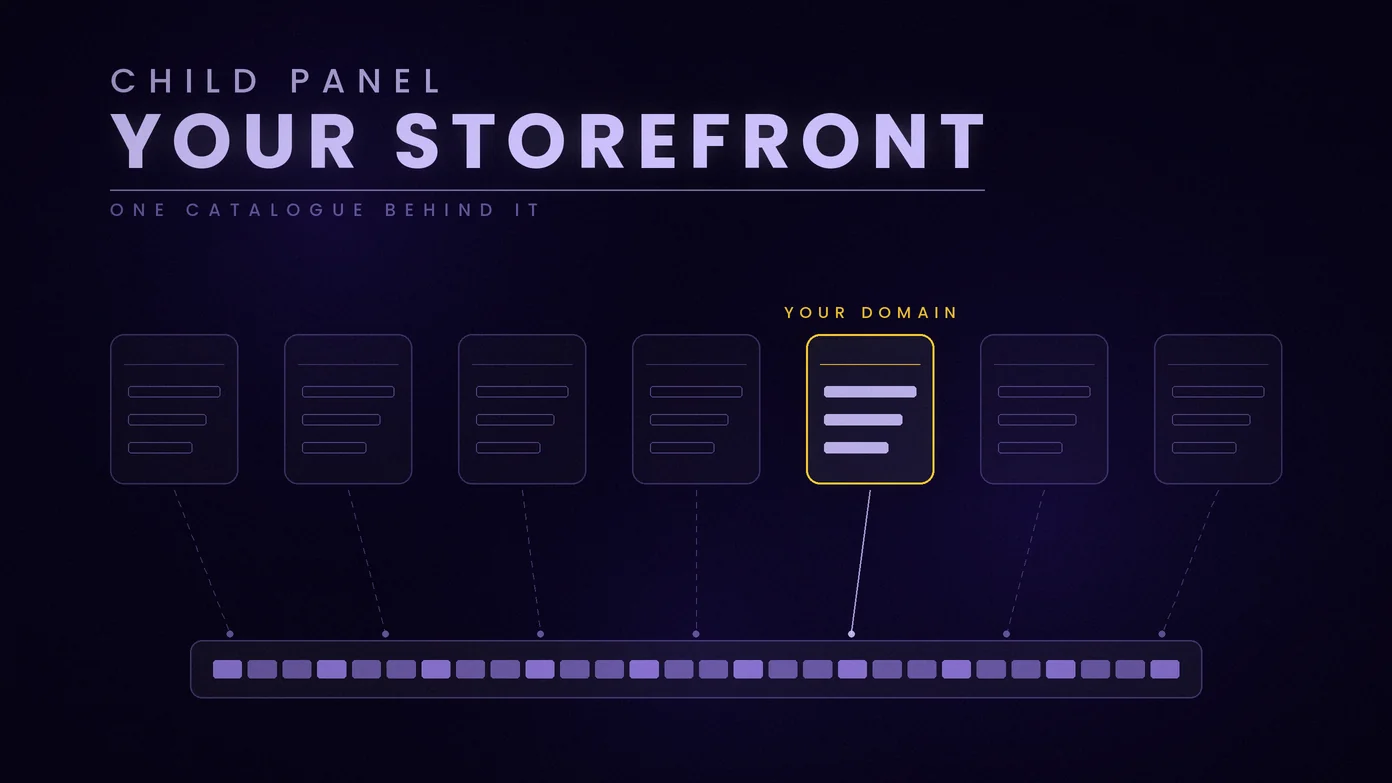
A child panel is an SMM panel website of your own that runs on another panel's catalogue. Your customers order on your domain, under your brand and at your prices, and each order is passed to the parent panel, which processes it and charges your balance there. You run the shop; the parent runs the services.
This guide explains what a child panel is, how it differs from running a full panel of your own, and how one is started on Boostero, the parent panel that writes this blog. The setup steps and terms below are taken from our child panel order page as it read on 27 October 2026, and the facts about the software from its vendor's own pages, read the same day.
What Is a Child Panel in an SMM Panel?
Boostero runs on Perfect Panel, as did at least seven of the eight panels, ours included, whose API documentation we could read on 11 September 2026. The software can create smaller panels for a panel's own users. Perfect Panel's feature list, read on 27 October 2026, describes child panel selling as panels "that can have only your panel as a service provider." That clause holds the whole definition. A child panel is a complete panel website on its own domain, and it has exactly one supplier: the panel it was ordered from.
The parent panel is the one you already buy from. The child panel is the website you put in front of your own customers. Between the two sits an API connection: the child panel sends each order to the parent automatically, the parent processes it like any other order, and the status comes back to your site.
How a Child Panel Works
One order, from start to finish:
- Your customer orders on your site. They see your domain, your brand and the price you set, and they pay you, through the payment methods you connect to your own panel.
- Your panel passes the order to the parent. This happens through the API connection, with no step by hand.
- The parent processes it and charges you. The order is charged to your balance on the parent panel, at the price your account pays for that service. The price you charge your customer is yours to set.
- The status comes back. Your customer follows the order on your site, as they would on any panel.
Two money flows, then, kept apart. Your customers pay you, and you pay the parent from your balance there. Our API refuses an order with "Not enough funds on balance" when that balance cannot cover it, so a child panel owner keeps their own Boostero balance topped up as well as collecting from customers.
Child Panel or a Full Panel of Your Own
The alternative to a child panel is to rent the software yourself and run a full panel. Perfect Panel's own homepage, read on 27 October 2026, says its base plan is $50 per month and includes up to 1,000 orders per month, with hosting included. A full panel can connect several providers, sell services you fulfill yourself, build its own catalogue and run an affiliate program. A child panel sells one parent's catalogue and runs no affiliate program, and that narrower job is the point of it.
So the choice comes down to what you want to manage. A child panel is the smaller job: one supplier, one catalogue, and nothing to connect beyond the parent and your own payment methods. A full panel is a business of your own, with the provider list, the pricing work and the support that come with it. On Boostero, the order page also says a child panel can later be moved up to a full panel, once you need what only a full panel does.
What a Child Panel Costs on Boostero
A child panel costs $30 a month, charged from your Boostero balance. That is the fee for the panel itself, and it does not change with the number of orders. The services your customers order are charged separately, from the same balance, at the catalogue price shown on our services page, less any loyalty level discount your account has reached.
Two terms from the order page are worth reading before you order. Once a panel is activated, that month's fee is not refunded. And you can cancel at any time through support, after which the following month is not charged.
How to Start a Child Panel on Boostero
Starting a panel takes five steps, put together from our order page as it read on 27 October 2026, and the second is the one to do carefully.
- Get a domain. Use one you already own, or register one at any domain registrar. The panel will run on it.
- Point the domain's nameservers to ours. Sign in at your registrar, open the domain's DNS or nameserver settings, and replace the existing nameservers with the two that our order form shows. This is what connects your domain to the panel.
- Fill in the order form and submit it. Sign in to your Boostero account and open the child panel order page. The form asks for four things: the domain, the currency your panel will price in (78 currencies were listed on 27 October), and an admin username and password for your panel. The form shows the $30 monthly price, charged from your Boostero balance.
- Wait for activation. A new panel usually activates within 6 hours of the nameservers pointing to ours. The main delay is DNS propagation, which is outside our control.
- Connect Boostero and open for business. Sign in to your panel's admin area, add Boostero as the provider with the API key from your Boostero account, choose the services you want to sell and set your prices, and connect the payment methods your customers will pay you through.
More than 50 child panels were running on Boostero in October 2026. What the order page cannot do for any of them is find customers: the panel is a shop, and bringing people to it is the owner's job.
What a Child Panel Cannot Do
The limits are part of the definition, so they are worth stating plainly before you order:
- One provider. A child panel sells the parent's catalogue and nothing else. That is how the software defines it, not a Boostero rule.
- No affiliate program. The affiliate system needs a full panel, so a child panel cannot run one.
- One domain change. You can move a panel to a new domain once, by ticket, with the new domain already pointed to our nameservers. A second change is not supported.
- No admins added from the panel. Additional admin accounts, with restricted access, are set up through support.
Do You Need a Child Panel to Resell?
No. A child panel is one way to resell, not a requirement. You can place orders for your clients by hand in your Boostero account, or send them through the Boostero API, and bill your clients however you already do. A child panel is for the reseller who wants their own branded website in front of the customer instead.
If you already run a full panel of your own, you do not need a child panel either: add Boostero to it as a provider through the API. What resellers get from us, and what the child panel costs, is set out on our reseller page. And if you are still choosing a parent panel, our guide to what to audit before you sign includes the child panel question: whether a panel states its child panel price before you register.
Frequently Asked Questions
What is a child panel in an SMM panel?
A child panel is an SMM panel website of your own that runs on another panel's catalogue. Customers order on your domain, under your brand and at your prices, and each order is passed to the parent panel, which processes it and charges your balance there. Perfect Panel, the software Boostero runs on, defines it as a panel that can have only its parent as a service provider.
How do I make my own SMM panel?
There are two routes. A child panel runs on one parent panel's catalogue: on Boostero it takes a domain, a nameserver change and an order form, for $30 a month. A full panel means renting the software yourself; Perfect Panel's base plan, read on 27 October 2026, is $50 per month with up to 1,000 orders per month, and you connect your own providers.
How much does a child panel cost on Boostero?
$30 a month, charged from your Boostero balance. The services your customers order are charged separately, from the same balance, at the catalogue price less any loyalty level discount your account has reached. Once a panel is activated, that month's fee is not refunded, and you can cancel through support at any time.
How long does a child panel take to set up?
A new panel usually activates within 6 hours of the domain's nameservers pointing to ours. The main delay is DNS propagation, which is outside our control. After that, you add Boostero as the provider with your API key, set your prices and connect your payment methods.
Can a child panel use more than one provider?
No. A child panel sells its parent panel's catalogue only, which is how the software defines it. If you want several providers, your own catalogue or an affiliate program, you need a full panel of your own.